Bikini photoshoot poses for an AI beach portrait series
Build an adult swimwear portrait shot list with standing and seated references, consistent beach lighting, varied framing, and checks for sand contact.
Written by
AI Pose Refs Team
Practical guides to choosing pose references, planning portrait series, and using references in your own AI image workflow.
A beach portrait series needs more than a different pose in every frame. Give the set a shared light direction, a recognizable outfit, and a consistent relationship to the shoreline. Then vary the body arrangement and camera distance so the images feel connected without looking interchangeable.
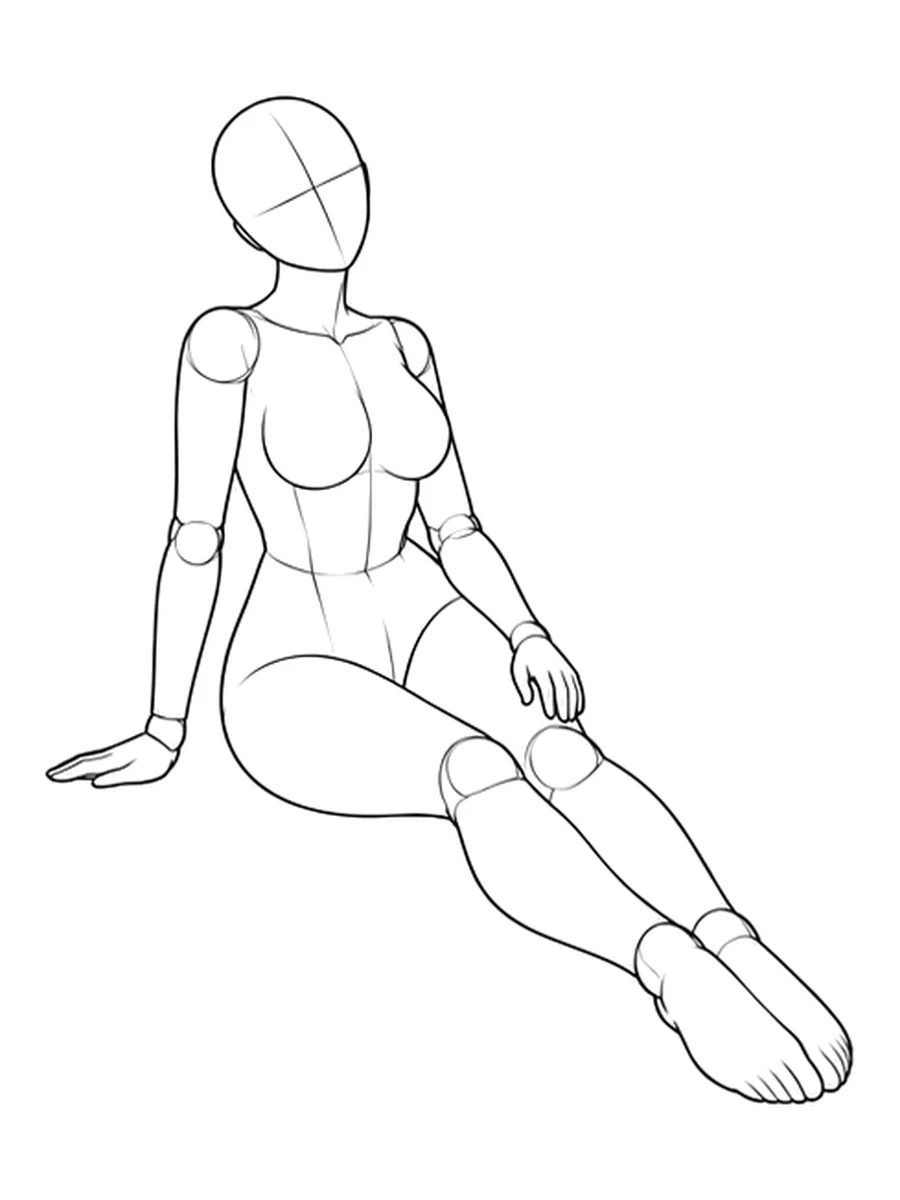
The references below are neutral drawing mannequins. They help plan adult swimwear fashion compositions; they are not examples of a beach collection or finished AI results. You will supply the character, swimwear, setting, and image-tool workflow.
Choose a small set of different silhouettes
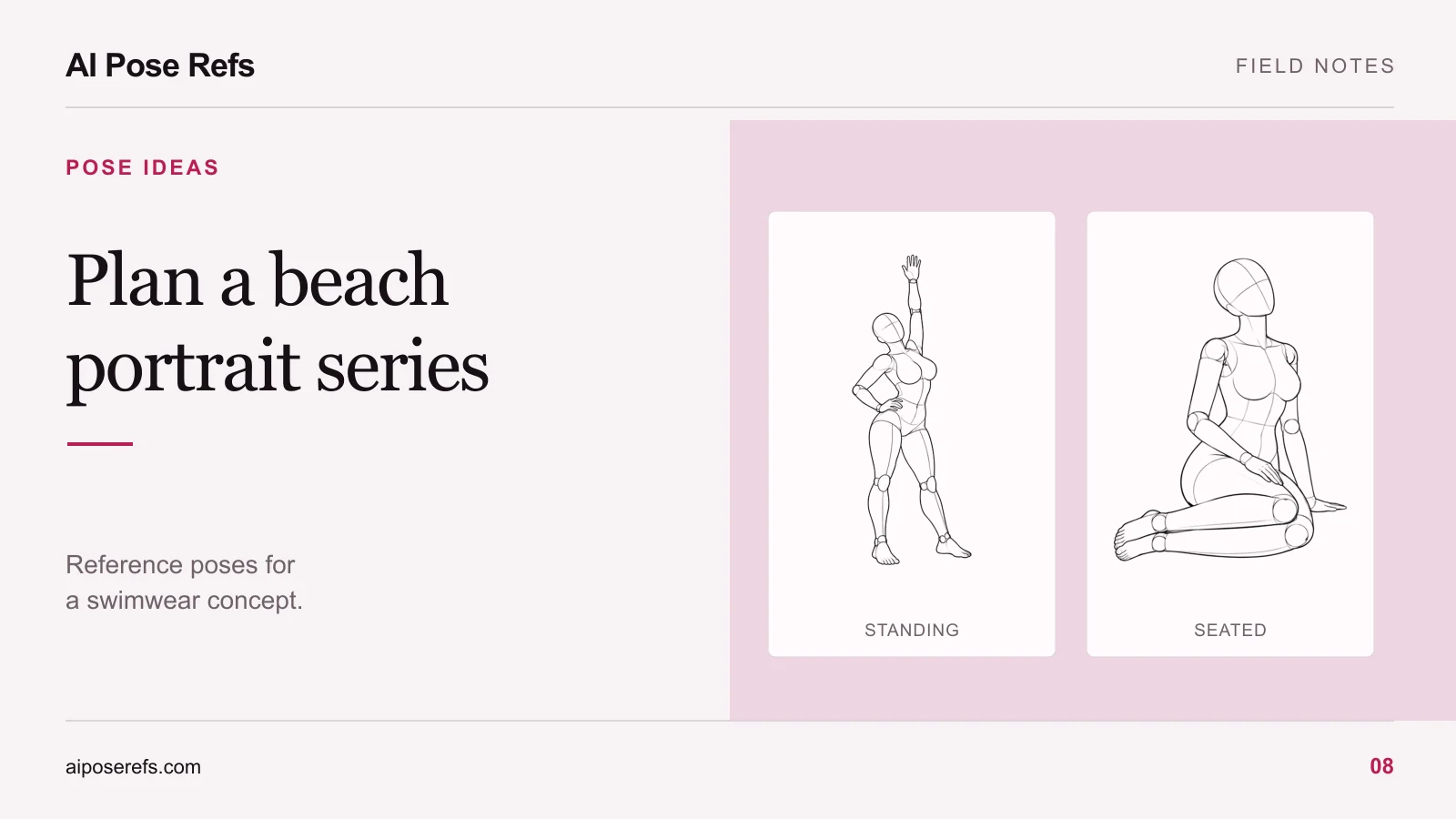
Begin with a standing portrait and a seated portrait. They change the height of the figure, the shape of the limbs, and the amount of visible environment. Add a walking composition only when you have a reference that clearly communicates the intended step.
For the standing image, a simple weight-shift pose gives the hands and feet identifiable positions. For the seated image, inspect one-hand support with the legs extended. The supporting palm and bent torso create clear relationships to the ground.
For a walking shot, look for visible separation between the legs and a believable supporting foot. A static stance with one bent knee is not automatically a walking reference. If you cannot find a suitable source, keep the shot as a standing turn instead of promising motion that the input does not show.
The standing-pose guide is useful when the first image needs a stronger silhouette before you add the beach setting.
Write the beach brief once
Decide what should stay the same across the set. An example brief could be an original adult character, plain dark swimwear, a quiet shoreline, soft morning light from camera left, and a muted sand-and-water palette.
Keep the description specific enough to compare, but leave out details that do not affect the picture. “Soft morning light from camera left” is more useful for continuity than adding several different words for beautiful weather.
Record the horizon placement as part of the composition. It does not need to sit at an identical pixel height in every image, especially when you change camera distance. It should look intentional and avoid awkward intersections with the head or neck.
Wardrobe continuity deserves the same attention as the face. Check straps, seams, fabric color, and accessories across the set. A pose change can also produce an unwanted clothing change, even when you reuse the description.
Turn the concept into a shot list
Plan the reason for each frame before generating it. Here is a sample structure you can adapt to your own references.
| Shot | Composition | Reference requirement | First review check |
|---|---|---|---|
| Opening portrait | Full-body standing figure with shoreline visible | Clear supporting leg and hand placement | Both feet meet the sand |
| Turned portrait | Three-quarter body view at a closer distance | Visible shoulder and hip directions | Face and torso turn coherently |
| Seated portrait | Ground-level arrangement with space around the legs | Clear palm and hip support | The body rests on the ground |
| Walking study | Full body with room in the direction of travel | A readable step and supporting foot | The stance looks like movement |
| Closing portrait | Upper-body crop with a quieter gesture | Hands either visible or deliberately outside the frame | Crop and horizon feel intentional |
Use the actual source link and selected angle in your own version of this table. That prevents a file called “beach pose final” from becoming impossible to identify later. If you want a fuller sequence, the six-shot series workflow explains how to carry a shared brief across individual prompts.
Add the scene around the reference
Upload the selected reference where your tool supports image guidance, then supply a complete description of the intended portrait. Treat this example as a drafting aid:
Adult fictional swimwear model in a plain dark bikini, seated on dry sand with one palm supporting the torso and legs extending forward. Follow the attached reference for the body arrangement and three-quarter camera view. Quiet shoreline behind the subject, soft morning light from camera left, muted natural colors, enough space to show both feet and the supporting hand.
Use the same character and wardrobe description for the next shot, replacing the pose and framing instructions. For tools with separate character inputs, follow their documented input roles. A repeated sentence alone does not ensure identity consistency; the same-character guide gives you a practical review process.
Check the beach details that can break the image
Inspect contact with the sand before choosing your favorite result. The heel, toes, supporting palm, and seated hip should agree with the body arrangement. Look for a foot that appears to float, a hand that disappears into the ground, or a shadow pointing in a different direction from the light.
Then check the horizon and waterline. A convincing figure can still sit inside a scene with a tilted horizon or inconsistent shoreline. Review the background across the whole set, not only within individual images.
Finally, compare the sequence at thumbnail size. If every shot has the same crop and body angle, change one composition rather than adding more near-duplicates. The monthly series planning guide can help you record which themes and arrangements you have already used.
Start in the gallery with one standing reference and one seated reference. Build those two images around the same beach brief before expanding the shot list.
Related posts
Find pose ideas, plan portrait series, and use references in your own AI image workflow.